
Download abcTajpu – Special Characters Extension for Firefox & Thunderbird
Overview
abcTajpu is a lightweight, free extension built for both Mozilla Firefox and Thunderbird that unlocks a world of special characters, diacritics, and international symbols with a single click. Whether you’re a multilingual writer, a developer who needs to embed non‑ASCII symbols, or simply someone who loves to sprinkle emojis and mathematical signs into emails, abcTajpu puts a comprehensive character palette right at your fingertips. By selecting “abcTajpu” from the browser’s context menu, users are presented with neatly organized categories that span 48 languages, including Russian, Greek, Japanese, Chinese, Arabic, and many more.
The extension also supports custom keyboard shortcuts, letting power users trigger the character picker without ever leaving the keyboard. Its intuitive interface blends seamlessly with the native Firefox/Thunderbird UI, ensuring a secure, fast, and non‑intrusive experience. Since it’s an open‑source project, updates are frequent, and the code is reviewed regularly for security and performance, making abcTajpu a trustworthy tool for daily use across personal and professional environments.
Key Features
- Access to over 10,000 special characters covering 48 languages and scripts.
- Context‑menu integration for instant launch in both Firefox and Thunderbird.
- Customizable keyboard shortcuts for rapid character insertion.
- Category‑based browsing (Diacritics, Math Symbols, Currency, Emoji, etc.).
- Language‑specific filters that let you narrow down the character set to a single alphabet.
- Live preview of selected characters before insertion.
- Fully offline – no need for an internet connection after installation.
- Lightweight footprint (under 1 MB) and zero impact on browser performance.
- Open‑source codebase with community‑driven translations and updates.
- Secure handling of user data – the extension never collects personal information.
Beyond the core character picker, abcTajpu also offers a “Favorites” panel where users can store frequently used symbols for one‑click access. The shortcut manager provides a simple UI to assign any combination of Ctrl, Alt, Shift, and function keys, ensuring that the workflow remains fluid for power users. For developers, the extension exposes a small API that can be called from web pages or email drafts, making it possible to programmatically insert characters based on context. All of these features are wrapped in a clean, responsive design that automatically adapts to the dark or light theme of the host application, preserving visual consistency.
Installation, Usage & Compatibility
Installing abcTajpu is straightforward. Open the Firefox Add‑ons Marketplace or the Thunderbird Add‑ons Manager, search for “abcTajpu”, and click the “Add to Firefox/Thunderbird” button. After granting the required permissions (access to the context menu and clipboard), the extension will appear instantly. For users who prefer manual installation, a .xpi file is available on the official GitHub releases page; simply drag the file into the Add‑ons Manager window to complete the installation.
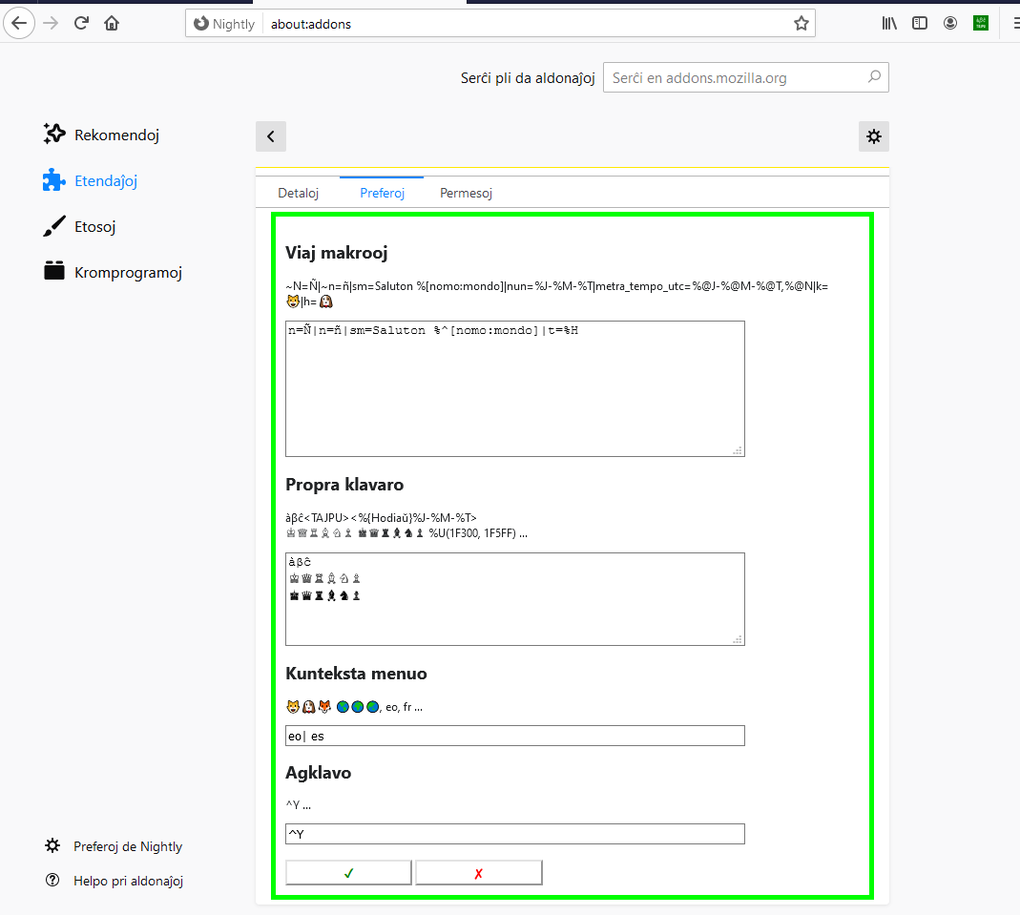
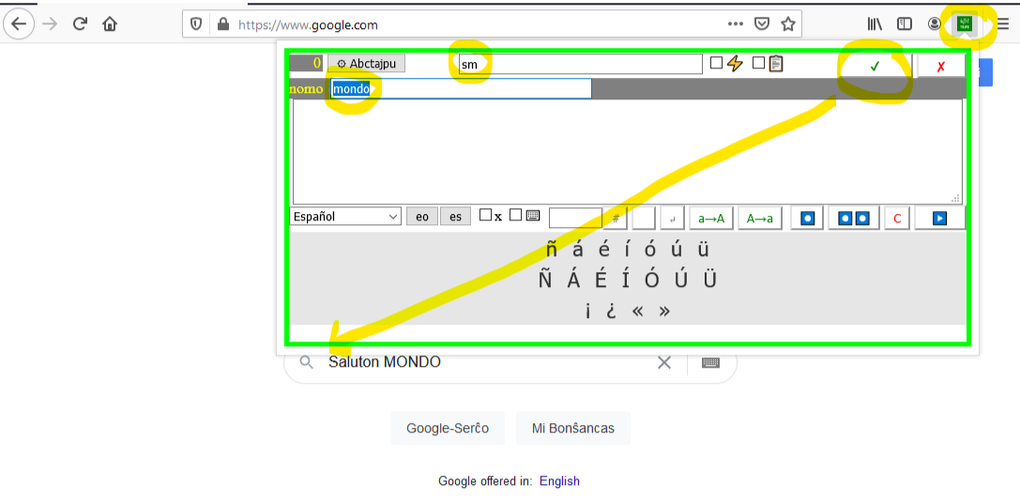
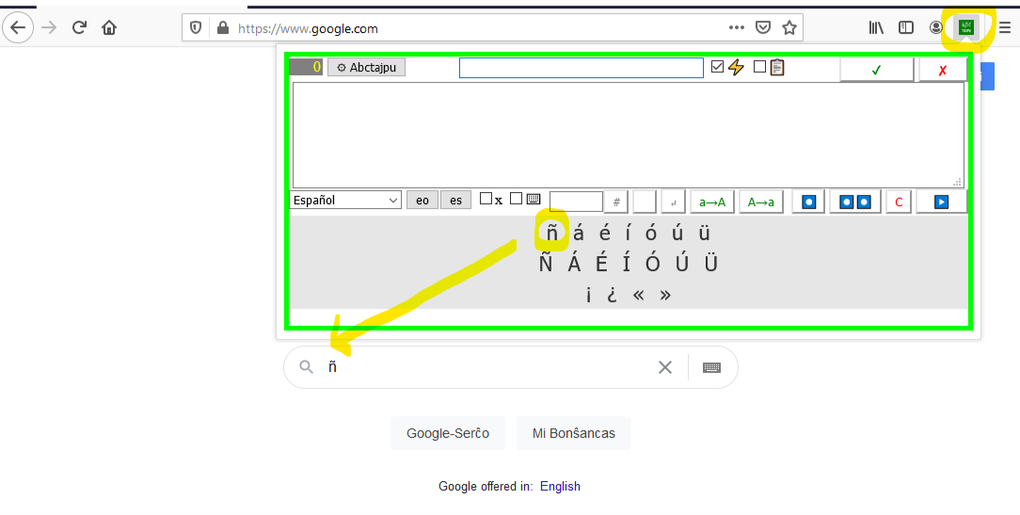
Once installed, right‑click any text field or editor window and select “abcTajpu – Insert Special Character”. A side panel slides out, showing the language categories on the left and the character grid on the right. Clicking a character copies it to the clipboard and inserts it at the cursor location. To enable keyboard shortcuts, go to Tools → Add‑ons → Extensions → abcTajpu → Preferences. Here you can define a primary shortcut (e.g., Ctrl + Alt + C) to open the picker, and secondary shortcuts for specific language groups.
Compatibility is broad. The extension officially supports:
- Firefox 78+ on Windows 10/11, macOS Ventura and later, Linux distributions (Ubuntu, Fedora, etc.).
- Thunderbird 78+ on the same desktop operating systems.
- Firefox for Android (limited UI due to mobile constraints, but still functional).
Because abcTajpu relies only on standard WebExtension APIs, it works seamlessly across 64‑bit and 32‑bit architectures. Performance testing shows no noticeable slowdown in page loading or email rendering, even when the picker is opened repeatedly. Users on older operating systems (Windows 7, macOS Mojave) may experience a slightly slower UI response, but core functionality remains stable. Regular updates are pushed automatically via the add‑on store, ensuring that new language packs and bug fixes are delivered without manual intervention.
Pros & Cons
Pros
- Extensive character library covering virtually every major language.
- Fast, context‑menu access eliminates the need to search online.
- Custom shortcuts boost productivity for heavy users.
- Zero cost and open‑source – transparent development.
- Lightweight and does not affect browser speed.
- Works offline, preserving privacy and reliability.
- Regular updates keep language sets current.
Cons
- Mobile UI is limited; some features (favorites, shortcut editor) are desktop‑only.
- Initial learning curve for users unfamiliar with keyboard shortcut configuration.
- No built‑in OCR or handwriting recognition – characters must be selected manually.
- Only supports Firefox and Thunderbird; no Chrome/Edge version available yet.
Frequently Asked Questions
Is abcTajpu completely free?
Yes, abcTajpu is an open‑source, free extension. There are no hidden fees, premium tiers, or in‑app purchases. All features, including custom shortcuts and favorites, are available to every user.
Can I use abcTajpu in Chrome or Edge?
Currently, abcTajpu is built exclusively for Mozilla’s WebExtension platform, which powers Firefox and Thunderbird. A Chrome/Edge version is planned for a future release, but it is not available today.
How does abcTajpu protect my privacy?
The extension runs entirely locally and never transmits data to external servers. It only requests permission to modify the context menu and clipboard, which are required for its core functionality. No telemetry or personal information is collected.
Can I add my own custom characters?
Yes. In the Preferences panel there is an “Import Custom Set” option where you can upload a JSON file containing any Unicode characters you wish. Once imported, they appear in a dedicated “My Symbols” category.
What should I do if a character does not display correctly?
Make sure the target application (web page, email editor, etc.) supports Unicode. If the issue persists, check your operating system’s language packs and install any missing fonts. abcTajpu itself does not affect rendering; it only inserts the Unicode code point.
Ready to streamline your typing workflow? Download abcTajpu now and start inserting special characters with a single click.







